The FIFINE Microphone Boom Arm review is for creators who want to position a microphone below the monitor line and keep the desktop clearer.
The BM88 combines a low-profile shape, broad swivel movement, and concealed cable routing, with fit depending on your desk thickness and microphone mount.
FIFINE BM88 Review Summary
The quick verdict
5,000+ ratings
Read Amazon ReviewsFIFINE BM88 Microphone Boom Arm
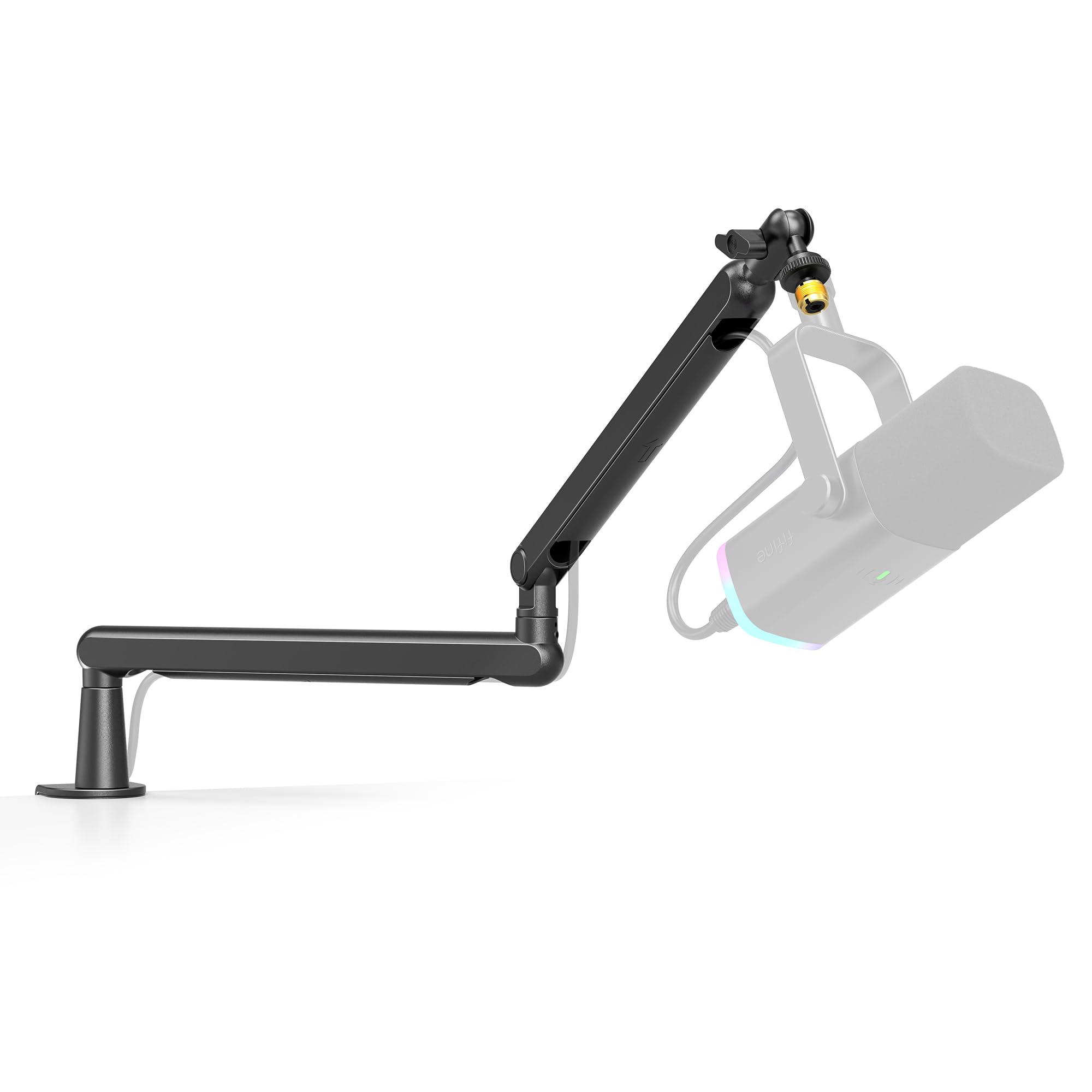
A low-profile desk boom arm for podcasters, streamers, and gamers who want flexible mic positioning with cable routing built into the arm.
- Low-profile arm designed to extend from below a computer screen.
- Metal arm construction with a desk clamp for mounting to a flat desktop.
- Extends up to 29 inches, rotates 360 degrees horizontally, and adjusts up to 220 degrees vertically.
- Integrated cable management channels help route microphone cables along the arm.

Pros
- Low-profile reach can help keep the microphone below the monitor’s viewing area.
- The 29-inch maximum extension and full horizontal rotation offer several placement options.
Consider before buying
- The clamp’s stated desk thickness range rules out thinner or thicker mounting edges.
- The arm section nearest the C-clamp does not adjust up and down.
Read the full review summary
The BM88’s low-profile layout is its defining advantage: its arm can extend from below a screen, helping keep the monitor view open while bringing a microphone within reach.
The metal construction, integrated cable management, and supplied thread adapters make it a considered option for a home recording or streaming desk.
It extends up to 29 inches, rotates horizontally through 360 degrees, and offers up to 220 degrees of vertical adjustment.
Before buying, check that your desk is between 0.8 and 2.4 inches thick and that your microphone or shock mount can use the included 1/4-inch, 3/8-inch, or 5/8-inch thread options.
The buying factors
FIFINE BM88 Scorecard
Editorial scores reflect listed features and buyer fit; they are not laboratory measurements or customer ratings.
Low-profile desk layout
The arm is designed to extend below the monitor, helping preserve an unobstructed screen view.
Positioning range
Up to 29 inches of extension, 360-degree horizontal rotation, and up to 220 degrees of vertical adjustment provide useful reach and movement.
Cable organization
Built-in cable channels give the microphone cable a more organized route along the arm.
Mount compatibility
The included adapters cover 1/4-inch, 3/8-inch, and 5/8-inch threads, but buyers should confirm their microphone or mount’s connection.
Desk fit
The clamp is specified for desks 0.8 to 2.4 inches thick, so suitability depends on measuring the mounting edge.
Setup flexibility
The arm offers broad movement, though the segment nearest the clamp cannot be adjusted vertically.
Key Features and Specifications of FIFINE BM88
- Low-profile arm designed to extend from below a computer screen.
- Metal arm construction with a desk clamp for mounting to a flat desktop.
- Extends up to 29 inches, rotates 360 degrees horizontally, and adjusts up to 220 degrees vertically.
- Integrated cable management channels help route microphone cables along the arm.
- Supplied thread adapters provide 1/4-inch, 3/8-inch, and 5/8-inch connection options.
- Desk clamp fits desktops from 0.8 to 2.4 inches thick; microphone is not included.
Pros and Cons of FIFINE BM88
Pros
- Low-profile reach can help keep the microphone below the monitor’s viewing area.
- The 29-inch maximum extension and full horizontal rotation offer several placement options.
- Built-in cable routing supports a tidier desk setup.
- Three thread sizes are covered by the included adapters.
Consider before buying
- The clamp’s stated desk thickness range rules out thinner or thicker mounting edges.
- The arm section nearest the C-clamp does not adjust up and down.
- A microphone or shock mount must be supplied separately.
Who Should Buy FIFINE BM88?
Good fit
Choose the BM88 if you want a desk-mounted microphone arm that can reach from below a monitor and rotate out of the way between recording or streaming sessions.
Its low-profile shape is particularly relevant when a taller arm would intrude into the screen area or occupy more visible desk space.
It is also a sensible fit if cable tidiness and flexible microphone placement matter to your setup.
Measure the desk edge first, then check your microphone’s mounting thread; the included adapters address several common sizes, but the connection still needs to match your equipment.
Who should skip it
Look elsewhere if your desk falls outside the clamp’s 0.8-to-2.4-inch thickness range, or if your preferred position requires vertical adjustment at the section closest to the clamp.
This is not a complete microphone kit: the microphone is not included.
If you need a particular reach or mounting arrangement, verify that the arm’s 29-inch maximum extension and adapter setup suit your equipment and desk before choosing it.
How the FIFINE BM88 Fits a Broadcasting Desk
Low-profile placement around a monitor
The BM88’s arm is designed to travel below the bottom of a computer screen.
That layout can be useful for broadcasting, gaming, or recording desks where a microphone should be close at hand without sitting across the monitor view.
Actual placement still depends on the height and position of the screen, clamp, and microphone.
Reach and joint movement
With up to 29 inches of extension, the arm can serve a larger desk or reach from a side-mounted clamp toward the user.
The 360-degree horizontal rotation makes it easier to swing the microphone across the work area, while the vertical range reaches up to 220 degrees.
The segment by the clamp does not move vertically, so plan the mounting point around that fixed joint.
Cable routing and mounting compatibility
Hidden cable channels help guide the microphone cable along the arm instead of leaving it loose across the desktop.
The included adapters accommodate 1/4-inch, 3/8-inch, and 5/8-inch threads, making the connection options broad; confirm which thread your microphone or shock mount uses before installation.
Desk clamp considerations
The clamp is intended for a desktop between 0.8 and 2.4 inches thick. Measure the surface where it will attach and consider whether the edge is flat enough for the clamp.
The arm is supplied with the clamp, rotatable ball head, Allen wrench, adapters, and manual, but the microphone itself must be purchased separately.
Alternatives to FIFINE BM88
Only one supplied alternative offers a meaningfully different arm design for a similar desk-mounted microphone setup.
Microphone Stands alternative
800+ ratings
Read Amazon ReviewsFIFINE BM63 Heavy Duty Boom Arm
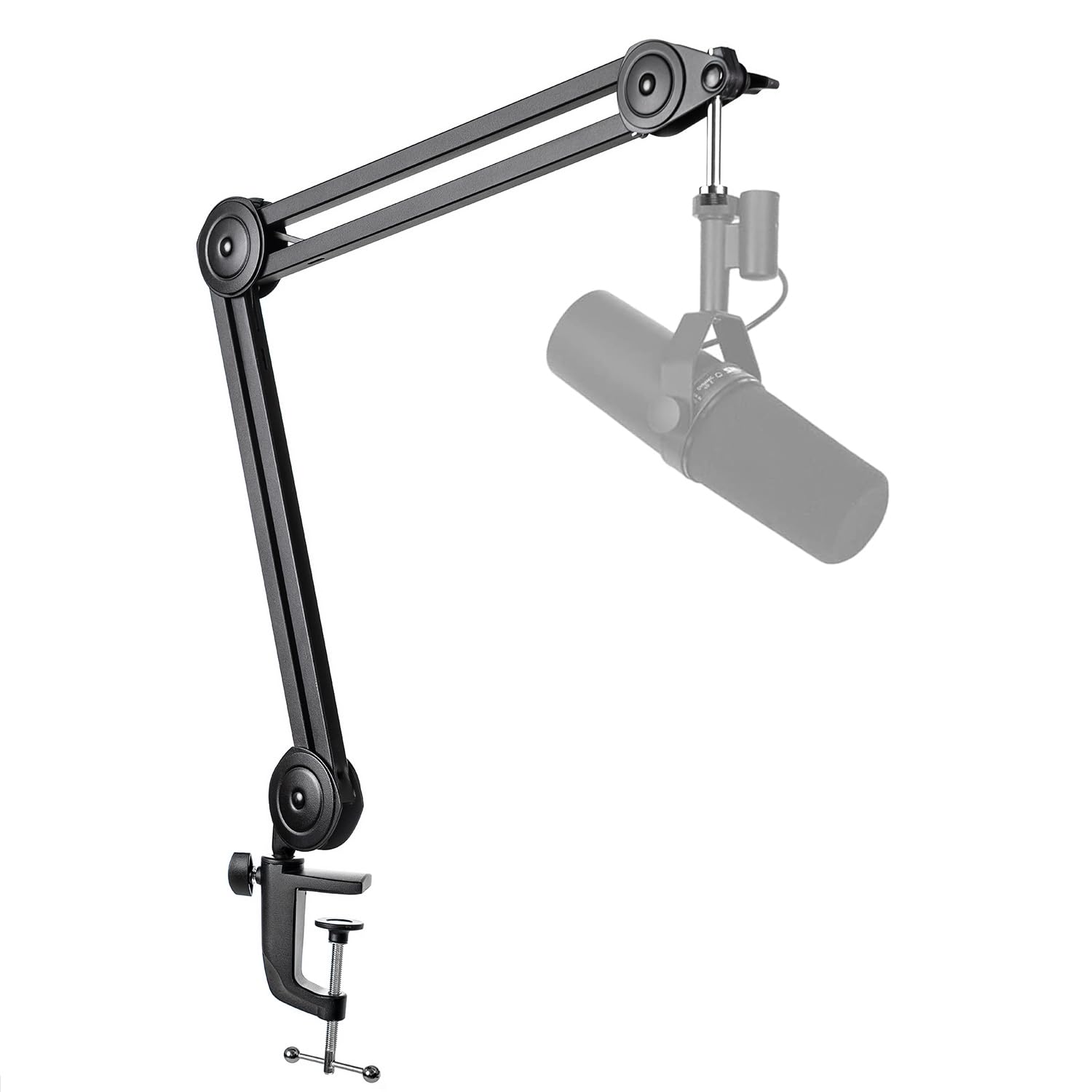
Consider the BM63 if you prefer a foldable scissor-arm design and want a stated load capacity for checking against a heavier microphone.
The BM88 is the more relevant fit when a low-profile route below the monitor, greater horizontal rotation, and multiple included thread sizes matter more.
- The BM63 is a foldable suspension scissor arm with a stated capacity of up to 2 kg, vertical movement up to 180 degrees, horizontal movement up to 135 degrees, and a universal 5/8-inch screw.
- Its clamp is specified for desktops 2 inches thick or less.
- The BM88 uses a low-profile layout, extends up to 29 inches, and includes cable channels and several thread adapters.
Is FIFINE BM88 Worth It?
The FIFINE BM88 is worth considering for a streaming, podcasting, or recording desk where a low-profile arm, flexible positioning, and integrated cable routing are priorities.
Its broad horizontal rotation and included thread adapters make it adaptable to several setups.
Check the desk thickness and microphone thread before buying, and account for the fixed vertical movement near the clamp.
If those fit your workspace and equipment, the BM88 offers a practical way to place a microphone while keeping more of the desktop and monitor view clear.
Your review at a glance
5,000+ ratings
Read Amazon ReviewsFIFINE BM88 Microphone Boom Arm
A low-profile desk boom arm for podcasters, streamers, and gamers who want flexible mic positioning with cable routing built into the arm.
- Low-profile arm designed to extend from below a computer screen.
- Metal arm construction with a desk clamp for mounting to a flat desktop.
- Extends up to 29 inches, rotates 360 degrees horizontally, and adjusts up to 220 degrees vertically.
- Integrated cable management channels help route microphone cables along the arm.