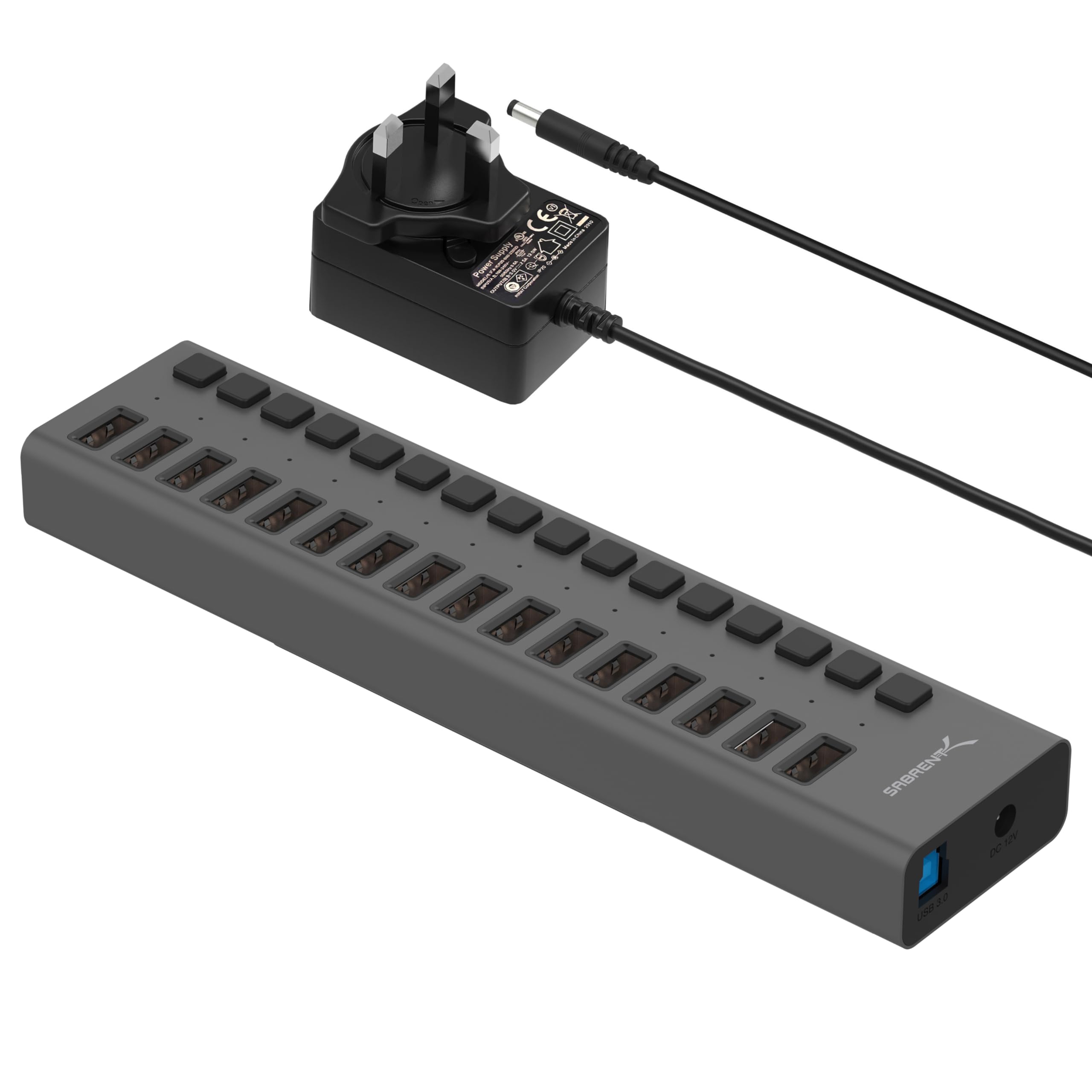
The SABRENT HB-PU16 brings 16 USB 3.0 Type-A ports together for workspaces with multiple drives, readers, and other USB peripherals.
This SABRENT HB-PU16 review looks at the appeal of its port count and individual switches, along with the practical limits to consider before arranging it into a desk setup.
SABRENT HB-PU16 Review Summary
The quick verdict
1,000+ ratings
Read Amazon ReviewsSABRENT HB-PU16
A fit for desks that need many USB-A connections, per-port switches, and high-speed data access in one powered hub.
- Sixteen downstream USB 3.0 Type-A ports for connecting multiple peripherals.
- Data transfer rates of up to 5Gbps on USB 3.0 connections.
- Backward compatibility with USB 2.0 and USB 1.1 devices.
- Individual power switches provide port-level control.

Pros
- A large 16-port capacity can consolidate many peripheral connections at one workstation.
- Individual switches give users a direct way to control ports without repeatedly unplugging devices.
Consider before buying
- A 16-port hub may take more desk space and provide more connections than a light-duty user needs.
- The description does not explain how the stated 90W output is allocated among ports, so buyers with several power-hungry devices should confirm the power arrangement meets their needs.
Read the full review summary
The main attraction is straightforward: one hub can provide connections for as many as 16 USB peripherals, with a separate power switch and blue status light for each port.
USB 3.0 data rates reach up to 5Gbps, and compatibility with USB 2.0 and USB 1.1 devices lets older peripherals remain part of the setup.
That combination suits a fixed workstation, production desk, or other environment where many devices need convenient access.
It may be excessive for a laptop user who only needs a couple of extra ports, and the product description does not specify how the 90W total output is divided among connected devices.
Buyers should match their charging expectations to their actual devices and power needs.
The buying factors
SABRENT HB-PU16 Scorecard
Editorial scores reflect listed features and buyer fit; they are not laboratory measurements or customer ratings.
Port capacity
Sixteen downstream ports provide room to connect a broad collection of peripherals at one hub.
Data speed potential
USB 3.0 supports transfer rates up to 5Gbps, with slower USB 2.0 and USB 1.1 standards also supported.
Port control
Individual switches and blue power-status LEDs make it easier to manage connected devices port by port.
Peripheral flexibility
The stated uses include flash drives, card readers, external hard drives, and other USB peripherals for access or charging.
Charging clarity
The title gives a 90W high-power output figure, but the description does not break down how that output is shared across ports.
Setup simplicity
Plug-and-play and hot-swappable operation point to a straightforward way to add ports without a driver setup.
Key Features and Specifications of SABRENT HB-PU16
- Sixteen downstream USB 3.0 Type-A ports for connecting multiple peripherals.
- Data transfer rates of up to 5Gbps on USB 3.0 connections.
- Backward compatibility with USB 2.0 and USB 1.1 devices.
- Individual power switches provide port-level control.
- Blue LEDs indicate power status for each port.
- The product title specifies 90W high-power output.
- Plug-and-play and hot-swappable operation are listed as supported.
Pros and Cons of SABRENT HB-PU16
Pros
- A large 16-port capacity can consolidate many peripheral connections at one workstation.
- Individual switches give users a direct way to control ports without repeatedly unplugging devices.
- Per-port blue status lights help show which connections are powered.
- USB 3.0 speeds up to 5Gbps suit data transfers with compatible devices.
- Support for older USB 2.0 and USB 1.1 standards helps accommodate mixed-generation accessories.
Consider before buying
- A 16-port hub may take more desk space and provide more connections than a light-duty user needs.
- The description does not explain how the stated 90W output is allocated among ports, so buyers with several power-hungry devices should confirm the power arrangement meets their needs.
- The listed connections are USB Type-A; buyers whose devices rely on another connector should check their cable or adapter requirements.
Who Should Buy SABRENT HB-PU16?
Good fit
Consider the HB-PU16 if your desk regularly hosts a collection of USB-A accessories and you want to bring them to one hub.
The 16-port layout is especially appealing when drives, readers, and other peripherals stay connected between tasks, while per-port switches offer a simple way to control them individually.
It is also a reasonable candidate for a mixed-age device setup. USB 3.0 provides up to 5Gbps for compatible transfers, while USB 2.0 and USB 1.1 support broadens the range of equipment you can connect.
The lights add a quick visual cue for port power status.
Before buying, consider how many devices you will connect at once and whether their power needs fit the hub’s 90W total output.
If charging several devices is a key part of your plan, check the available power guidance for your intended combination rather than assuming every port can deliver the same share.
Who should skip it
Skip this model if you only need a small travel hub or a few extra connections; a 16-port desktop design is likely more capacity than that job requires.
Look elsewhere if your setup depends on a connector other than USB Type-A and you do not want to account for adapters, or if you need a clearly specified per-port charging allocation before choosing.
How the SABRENT HB-PU16 Fits a Multi-Device Desk
Sixteen ports change the role of a hub
A 16-port hub is designed to handle a central connection point for a busy setup.
That can reduce the need to rotate peripherals through a smaller hub, although the value depends on how many devices you actually use at once.
Count the accessories that need to stay connected and leave room for their cables when planning the desk.
Speed depends on the connected device
The product supports USB 3.0 transfers up to 5Gbps, but that ceiling applies to compatible connections and does not promise that every connected device will transfer at that rate.
USB 2.0 and USB 1.1 support keeps older equipment usable, though those standards have lower maximum data rates. For routine file movement, consider both the hub connection and the capabilities of the peripheral.
Switches offer hands-on control
Individual power switches provide a convenient control point for each port. This can be useful when some devices are only needed intermittently, while blue LEDs make port power status easier to see.
The controls are a practical fit for a desk where peripherals remain plugged in and users want direct access to their power state.
Treat the output figure as a system-level limit
The 90W output figure gives a total power reference, but no per-port allocation is supplied here.
A setup combining data devices with accessories that draw more power deserves a closer check of its expected load and the hub’s supported arrangement.
That step matters most when the hub is expected to serve a large number of connected devices simultaneously.
Alternatives to SABRENT HB-PU16
USB Hubs alternative
6,000+ ratings
Read Amazon ReviewsSABRENT HB-B7C3 10-Port USB 3.0 Hub
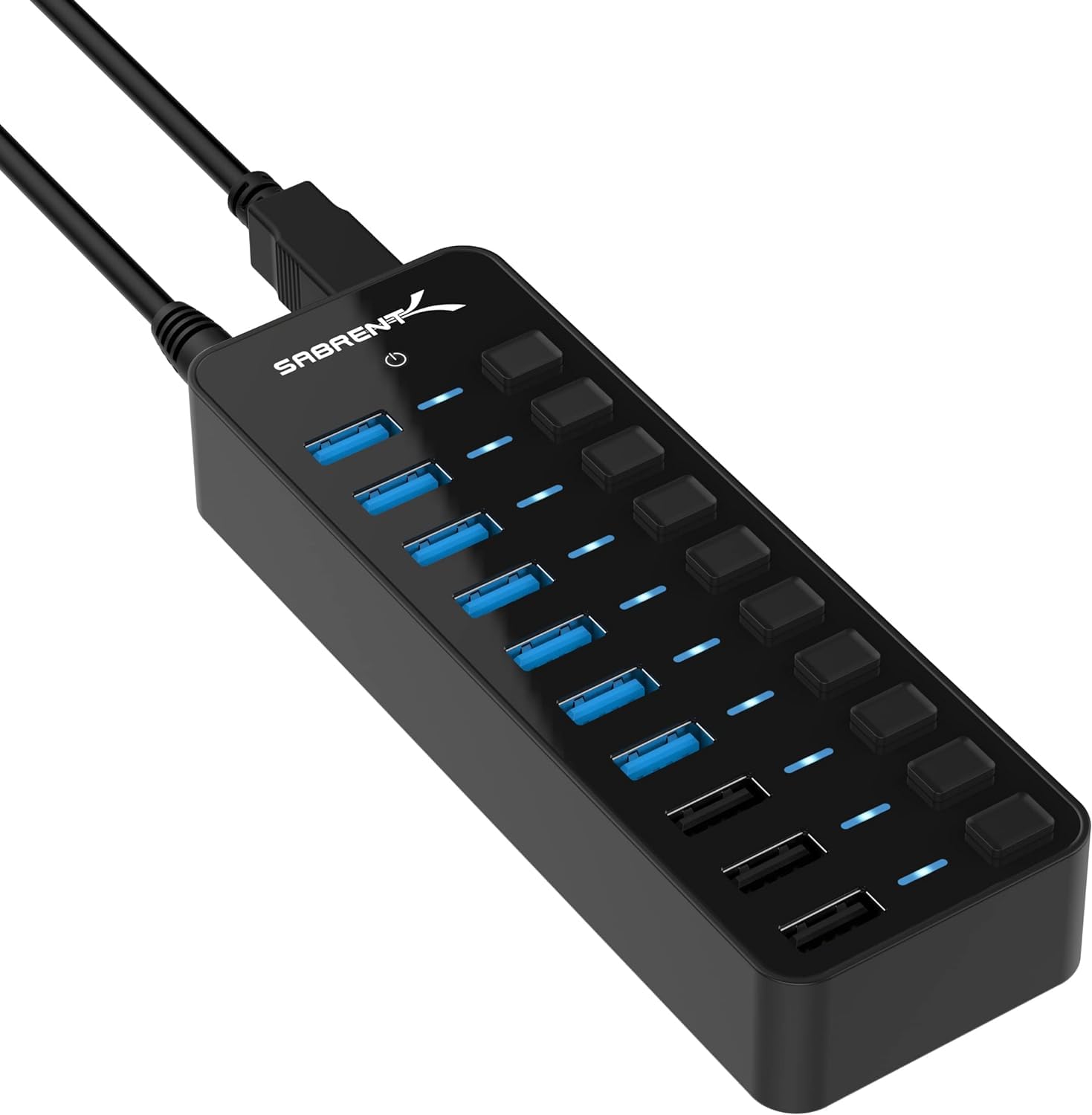
Choose the HB-PU16 when having more general USB 3.0 connections is the priority. The HB-B7C3 is a more targeted fit if three dedicated smart-charging ports and an included power adapter better match your desk’s charging routine.
- The HB-B7C3 supports up to seven USB 3.0 devices at once, adds three dedicated smart-charging ports rated up to 2.4A each, and includes a 60W power adapter.
- Its ports also have individual switches and LED indicators.
- The HB-PU16 offers 16 USB 3.0 ports, individual switches, and blue per-port power indicators, with a stated 90W high-power output.
USB Hubs alternative

2,000+ ratings
Read Amazon ReviewsSABRENT HB-MC3B 4-Port USB 3.0 Hub
Choose the HB-PU16 for a stationary workstation that needs many connections. The HB-MC3B may suit a simpler setup that needs only four extra ports and values its stated portable design and included cable.
- The HB-MC3B adds four USB 3.0 ports, supports transfer speeds up to 5Gbps, and includes a 2.5-foot USB 3.0 cable.
- Its description emphasizes a portable aluminum design and compatibility with Windows, Mac, and Linux.
- The HB-PU16 is the higher-capacity choice, with 16 USB 3.0 ports and individual controls for a multi-device setup.
Is SABRENT HB-PU16 Worth It?
The SABRENT HB-PU16 is worth considering when a busy desk needs many USB-A connections, fast USB 3.0 data access, and per-port power control in one hub.
Its 16 ports are the defining advantage, while the switches and indicators make that capacity more manageable.
Buy it if you can use the port count and have checked that the stated 90W output suits your connected devices.
For a small setup, the scale may be unnecessary; for a large one, clarify the power arrangement before relying on it for simultaneous charging.
Your review at a glance
1,000+ ratings
Read Amazon ReviewsSABRENT HB-PU16
A fit for desks that need many USB-A connections, per-port switches, and high-speed data access in one powered hub.
- Sixteen downstream USB 3.0 Type-A ports for connecting multiple peripherals.
- Data transfer rates of up to 5Gbps on USB 3.0 connections.
- Backward compatibility with USB 2.0 and USB 1.1 devices.
- Individual power switches provide port-level control.